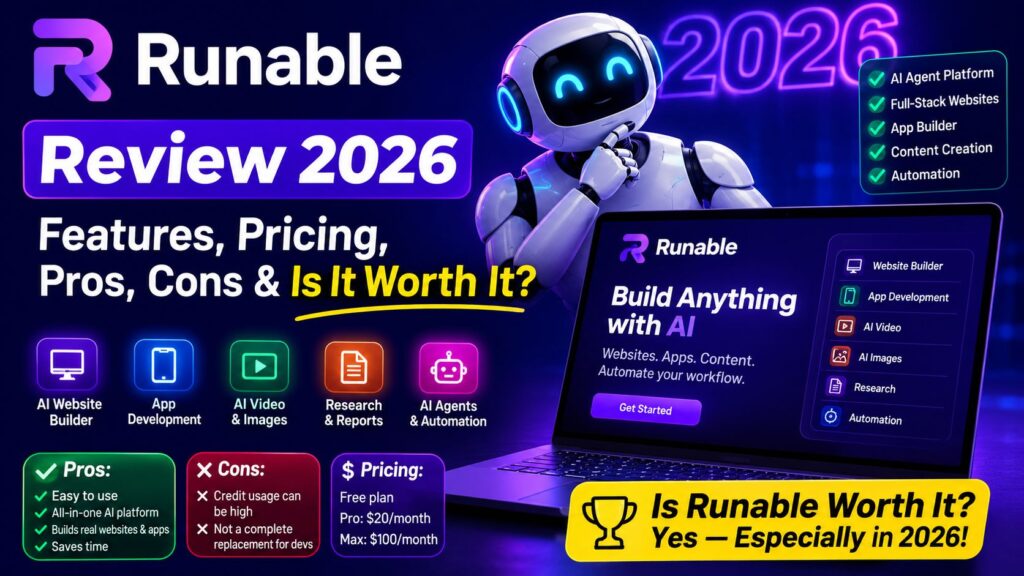
Runable Review 2026: Features, Pricing, Pros, Cons & Is It Worth It?
We tested Runable's AI-powered tools to see how well it handles website building, apps, content, research and creative workflows. Here's what you should know before choosing a plan.
Runable 2.0
Overall Rating
AI Website & App Building
Research & Content Workflows
Images, Video & Slides
Free Plan Available
Runable Review 2026 Is Runable really an all-in-one AI agent that can build websites, create presentations, generate images and videos, conduct research, and automate work from a single platform? I tested the platform to see what it can actually do, how its pricing works, where it performs well, and where you may still need other tools.
Runable has changed significantly with Runable 2.0, which introduced a plan-first agent workflow, Canvas Mode, full-stack website building, AI voice agents, and a broader set of AI models and integrations.
In this review, you’ll get a practical breakdown of Runable’s features, pricing, pros and
Runable is one of the most interesting AI platforms to consider in 2026. If you’re comparing it with other AI coding and app-building platforms, see our detailed Runable vs Lovable vs Replit comparison before choosing a tool.
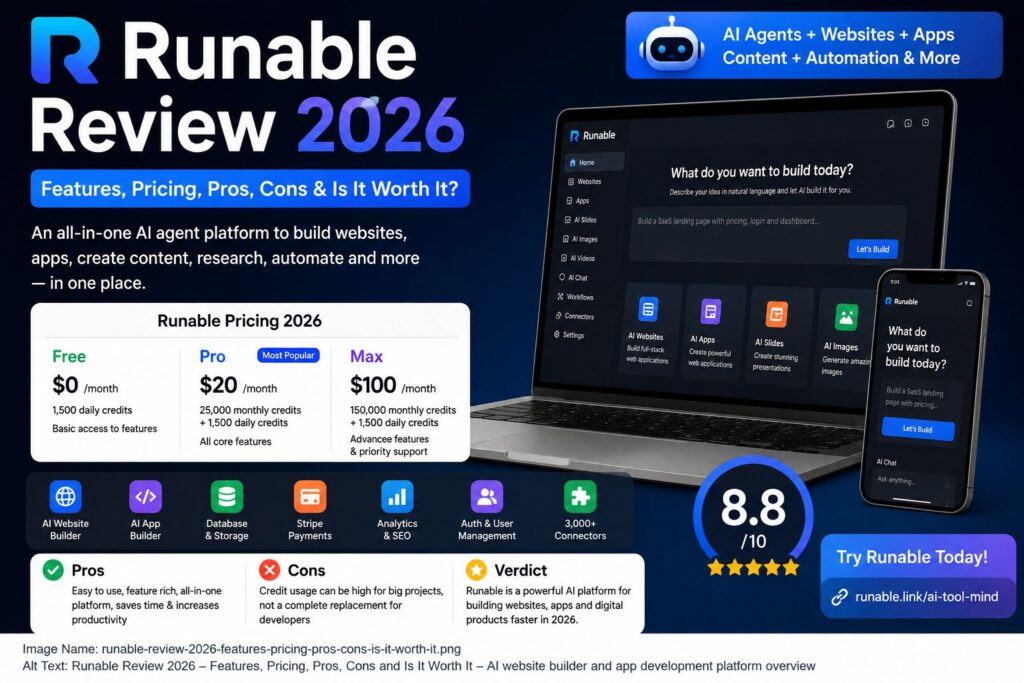
cons, use cases, alternatives, and overall value in 2026.
Quick verdict: Runable is one of the more ambitious all-in-one AI platforms available in 2026. Its biggest advantage is not necessarily that it does one task better than every specialist tool, but that it combines website building, research, content, presentations, images, videos, integrations, and AI agents into one workflow.
Runable Review 2026: Quick Verdict
Best for: Entrepreneurs, creators, marketers, freelancers, agencies, developers, researchers, and anyone who wants multiple AI capabilities in one platform.
Not ideal for: Users who only need a specialized image generator, video editor, traditional IDE, or highly customized development environment.
What Is Runable?
Runable is an AI-powered general-purpose agent platform designed to handle different types of digital work from a single interface.
Instead of using one AI tool for research, another for presentations, another for website development, another for images, and another for automation, Runable attempts to bring many of these capabilities together.
Its current capabilities include:
- Website and app building
- AI agents
- Research and documents
- Presentations and carousels
- Image generation
- Video generation
- Canvas Mode
- Multi-modal chat
- Thousands of connectors
- AI voice agents
- Personal assistant capabilities
Runable’s 2.0 release moved the platform toward a plan-first workflow. Instead of immediately starting to build after every prompt, the agent can clarify what you want, present a plan, and then execute after you approve it.
That change is important because one of the biggest problems with AI agents is getting an output that is technically impressive but doesn’t actually match the user’s intention.
If you’re exploring AI-powered productivity platforms, you may also want to check our guide to AI productivity tools.
What Is New in Runable 2.0?
Runable 2.0 is more than a small feature update. The company describes it as a major rebuild of the agent experience.
The most important changes include:
Runable 2.0 introduced a plan-first workflow that asks clarifying questions and presents a plan before building. You can read the official Runable 2.0 announcement for more details.
1. Plan-First AI Agent
The agent can ask clarifying questions and create a visual plan before executing the task.
This can reduce the classic AI workflow of:
Prompt → Wrong result → Rewrite prompt → Try again → Fix result
Instead, the idea is:
Prompt → Clarification → Plan → Approval → Execution
That can make complex projects easier to manage.
2. Inline Editing
Runable 2.0 supports editing directly inside generated outputs instead of forcing you to start the entire task again.
3. Rollback
The platform includes one-click rollback functionality, making experimentation less risky.
4. Chat Forking
You can explore different directions without necessarily destroying the previous version.
5. Canvas Mode
Canvas Mode provides a visual workspace for creating and editing images and videos.
Runable says Canvas supports models and tools including Nano Banana Pro, Seedream 4.5, Google Veo 3.1, and Sora 2 Pro, along with editing features such as Mark Edit.
6. Full-Stack Websites
One of the most interesting additions is Runable’s website-building system.
According to Runable, websites can ship with:
1. Live URLs
2. Databases
3. Stripe payments
4. Custom domains
5. SEO
6. Analytics
7. Version history
The platform also offers an optional AI voice agent for websites.
Runable Features
1. AI Website and App Builder
This is arguably one of Runable’s strongest features.
You can describe what you want to build in natural language rather than starting with a blank code editor.
For example:
“Build a modern SaaS dashboard with user authentication, pricing plans, payments, analytics, and an admin panel.”
Instead of manually creating every component, the AI agent can handle much of the development workflow.
Runable’s paid plans include website and app building, databases, analytics, Stripe integration, subdomains, and mobile app building.
This makes Runable particularly interesting for:
- MVP development
- Startup prototypes
- SaaS projects
- Business websites
- Internal dashboards
- Landing pages
- Client projects
My take
The biggest advantage is speed.
If your goal is to go from an idea to a working prototype quickly, an AI-first builder can save considerable time.
However, developers working on highly complex applications should still review the generated architecture, security, database structure, and business logic before deploying anything important.
2. AI Agent
Runable’s AI agent is the central part of the platform.
Rather than simply answering questions, it is designed to perform tasks.
That distinction matters.
A chatbot might tell you how to build a website.
An agent attempts to actually build it.
The same principle can apply to research, documents, presentations, content, and other workflows.
Runable reports strong benchmark performance, including a 92.1% score on GAIA, along with results on DRACO, SlidesBench, and BrowserComp. These are company-reported benchmark figures, so they should be treated as useful signals rather than independent proof of superiority in every real-world task.
3. Research and Documents
Runable can also handle research-oriented tasks.
For example, you could ask it to:
- Research a market
- Compare competitors
- Summarize information
- Create a report
- Analyze documents
- Organize research findings
- Produce structured content
This makes it useful for marketers, students, researchers, founders, and content teams.
The major benefit is that research can potentially become part of a larger workflow instead of being isolated from the final output.
For example:
Research → Report → Presentation → Social Content
That workflow is more interesting than simply having another AI chatbot.
4. AI Slides and Carousels
Runable can create presentations and social-media-style carousels.
This is particularly useful for:
- LinkedIn carousels
- Pitch decks
- Educational presentations
- Marketing presentations
- Business reports
- Social media content
Runable’s current plans include slides and carousel creation.
For someone who regularly turns written ideas into visual content, having this capability inside the same platform can be a major time saver.
5. Image and Video Generation
Runable also combines AI image and video creation.
Its Canvas workflow is designed to reduce the need to jump between multiple applications for generation and editing. Runable says its current Canvas experience supports several image and video models, including Google’s Veo 3.1 and OpenAI’s Sora 2 Pro.
This is useful for:
- Blog graphics
- Social media posts
- Product visuals
- Marketing campaigns
- Video concepts
- Presentations
- Advertising creatives
The advantage is convenience.
The disadvantage is that dedicated creative platforms may still provide deeper controls for specialized professional workflows.
6. 3,000+ Connectors
Another major Runable feature is its integration ecosystem.
The current pricing page advertises 3,000+ connectors.
This potentially allows Runable to interact with many external services and applications.
For businesses, this is important because the real value of an AI agent isn’t just generating text.
The real value comes when it can take action across the tools you already use.
For example:
AI agent → research → process information → update connected service → generate report
The exact capabilities depend on the connector and workflow, so users should verify the available actions before designing a critical automation around one.
7. AI Voice Agent
Runable 2.0 also introduced an AI voice agent that can be added to websites.
According to Runable, the voice agent can interact with visitors, answer questions, and capture leads.
For businesses, this could be useful for:
- Lead generation
- Customer support
- FAQ handling
- Product explanations
- Website engagement
This feature makes Runable more than a conventional AI website builder.
Runable Pricing 2026
Runable currently offers three main plans, ranging from a free option for testing to a higher-capacity Max plan for heavier AI workloads.
The current official pricing page lists 1,500 daily credits across the plans, while paid plans also add monthly credits. Pro is listed at $20/month and Max at $100/month.
Free Plan
The Free plan is useful for testing Runable before paying. It gives users access to many of the platform's core AI capabilities.
What you get
Pro Plan
The Pro plan is likely the sweet spot for individual users who want more credits and access to Runable's advanced building and automation capabilities.
What you get
Max Plan
The Max plan is designed for heavier users who need significantly more monthly credits and additional support.
What you get
One Important Thing About Runable Credits
Runable's FAQ says that daily credits don't carry over to the next day. It also says that paid-plan top-up credits don't expire.
So if you're considering a subscription, don't look only at the monthly price. Understand how your actual workload consumes credits.
Runable Pros
1. Many AI capabilities in one platform
This is probably Runable’s biggest advantage.
Instead of paying separately for multiple AI products, you can potentially handle many workflows from one account.
2. Excellent for rapid prototyping
The AI website and app builder can dramatically reduce the time required to create an initial product.
3. Plan-first workflow
The new planning approach is a meaningful improvement over blindly executing every prompt.
4. Strong automation potential
With thousands of connectors, Runable has significant potential for workflow automation.
5. Full-stack website capabilities
Database, payments, analytics, domains, and deployment make it more useful than a simple landing-page generator.
6. Creative tools included
Images, videos, slides, and Canvas make Runable attractive to content creators and marketers.
7. Free plan available
You can test the platform before committing to a subscription.
Runable Cons
No AI platform is perfect.
❌ 1. Credit usage can become complicated
If you use agents heavily, you need to understand how credits are consumed.
❌ 2. Not a replacement for every specialist tool
A dedicated IDE, video editor, image-generation platform, or advanced automation platform may still offer deeper controls.
❌ 3. Complex applications still need human review
AI can accelerate development, but generated code and architecture should not automatically be considered production-ready.
❌ 4. Max is expensive
At $100/month, the Max plan is aimed at heavy users rather than casual users.
❌ 5. AI output still requires iteration
Even with the improved plan-first workflow, you should expect to review and refine important outputs.
Runable vs Lovable vs Replit
Runable isn’t competing with exactly the same type of product as every AI coding platform.
Lovable focuses heavily on conversational application building, while Replit combines AI development with a broader cloud IDE and development environment.
Runable takes a broader approach by combining software creation with research, presentations, images, videos, connectors, and other AI workflows.
The key difference is scope.
If you only want to build an application, Lovable or Replit may be a better-focused choice depending on your development needs.
If you want an AI platform that can handle software + research + content + visuals + automation, Runable becomes much more interesting.
Who Should Use Runable?
Runable is particularly suitable for:
Entrepreneurs
Founders can use it to turn ideas into MVPs quickly.
Freelancers
Freelancers can potentially use it for websites, presentations, research, content, and client prototypes.
Marketers
Marketers can combine research, content, images, videos, and social assets.
Content Creators
The combination of research, writing, images, video, and slides is useful for multi-format publishing.
Developers
Developers can use AI to accelerate repetitive development and prototyping.
Agencies
Agencies may benefit from using one platform for multiple client workflows.
Who Should NOT Use Runable?
Runable may not be the best choice if you:
- Only need a simple chatbot
- Only generate images occasionally
- Need a traditional professional IDE
- Require complete manual control over every line of code
- Need highly specialized video-editing capabilities
- Don’t use AI frequently enough to justify a subscription
In those cases, a more specialized tool may provide better value.
Is Runable Worth It in 2026?
Yes — for the right user.
Runable’s biggest selling point isn’t simply that it has AI.
Almost every major software company has AI now.
The interesting part is how many workflows Runable can connect together.
Imagine starting with an idea and going through:
Research → Website → Database → Payments → Images → Video → Presentation → Automation
without constantly switching between different AI platforms.
That’s where Runable becomes compelling.
The Pro plan at $20/month is particularly interesting for individual users because it adds substantial monthly credits and additional website, assistant, workflow, and integration capabilities.
For occasional users, the Free plan is the sensible starting point.
For heavy professional users, Max can make sense—but only if your workload actually justifies the $100/month price.
My Runable Rating for 2026
After looking at the current feature set, workflow, pricing, and capabilities, I'd rate Runable:
The slightly lower score for developer control isn't necessarily a flaw. Runable is trying to be an AI-first work platform, not simply another traditional coding IDE.
Final Verdict: Should You Try Runable?
If you're looking for one AI platform that can do much more than chat, Runable is absolutely worth testing in 2026.
Its biggest strengths are its broad feature set, AI agent workflow, website/app builder, creative tools, research capabilities, connectors, and increasingly sophisticated automation features.
The biggest question is whether you actually need all of those capabilities.
If you only need one specialized function, a dedicated tool may be better.
But if you're a freelancer, entrepreneur, developer, marketer, agency, or content creator who regularly jumps between multiple AI tools, Runable can potentially consolidate a significant portion of your workflow.
Start with the Free plan, test a real project—not just a simple demo—and upgrade to Pro if the platform consistently saves you time.
Frequently Asked Questions
Is Runable free?
Yes. Runable currently offers a Free plan with daily credits and access to many of its core capabilities.
How much does Runable cost in 2026?
The current plans are Free, Pro at $20/month, and Max at $100/month.
Can Runable build websites?
Yes. Runable can build websites and apps, and its paid plans include capabilities such as databases, analytics, Stripe integration, subdomains, and mobile app building.
Can Runable create videos?
Yes. Video creation is included among Runable's current capabilities, with Canvas Mode supporting multiple AI models and video workflows.
Is Runable better than Lovable?
Not universally. Lovable is more focused on AI application building, while Runable covers a broader range of AI work. The better option depends on whether you prioritize focused app development or an all-in-one AI workflow.
Is Runable better than Replit?
They serve somewhat different purposes. Replit provides a broader cloud development environment and deeper developer-oriented tooling, while Runable focuses more heavily on combining app building with research, content, creative generation, and AI-agent workflows.
Is Runable worth paying for?
For frequent AI users, especially freelancers, creators, marketers, entrepreneurs, and developers, Runable Pro at $20/month is the plan I'd test first.
What makes Runable different?
Its main differentiator is the combination of AI agents, website/app development, research, presentations, images, videos, Canvas, and thousands of connectors within one platform.
Ready to Try Runable?
If you want to build websites, apps, presentations and other digital projects with AI, Try Runable today