How to Create and Sell Digital Products Online: A Beginner's Guide for 2026
Learn how to create profitable digital products, build an online income stream, and make your first sale in 2026. This complete beginner-friendly guide covers product creation, pricing, marketing, and growth strategies.
A year ago, I had no products, no audience, and no idea what I was doing.
Today I run a digital products business that operates 24 hours a day — taking payments while I sleep, delivering products automatically, and requiring zero inventory, zero shipping, and zero startup capital beyond my time and a laptop. The shift happened when I stopped thinking I needed to be an expert to sell something online. The truth is, you don’t need years of experience, a university degree, or a big following to create and sell digital products. You need three things: a useful idea, the right tools, and a system for getting it in front of people. This guide walks you through exactly how to do that — from idea to first sale — even if you’re starting from scratch.
Many entrepreneurs are now using AI tools for business growth to create products faster and automate repetitive tasks.
What Are Digital Products and Why Do They Work?
A digital product is anything you create once and sell repeatedly with no additional cost per unit. No manufacturing. No shipping. No stock. Just a file — or access to something — that delivers value to the buyer.
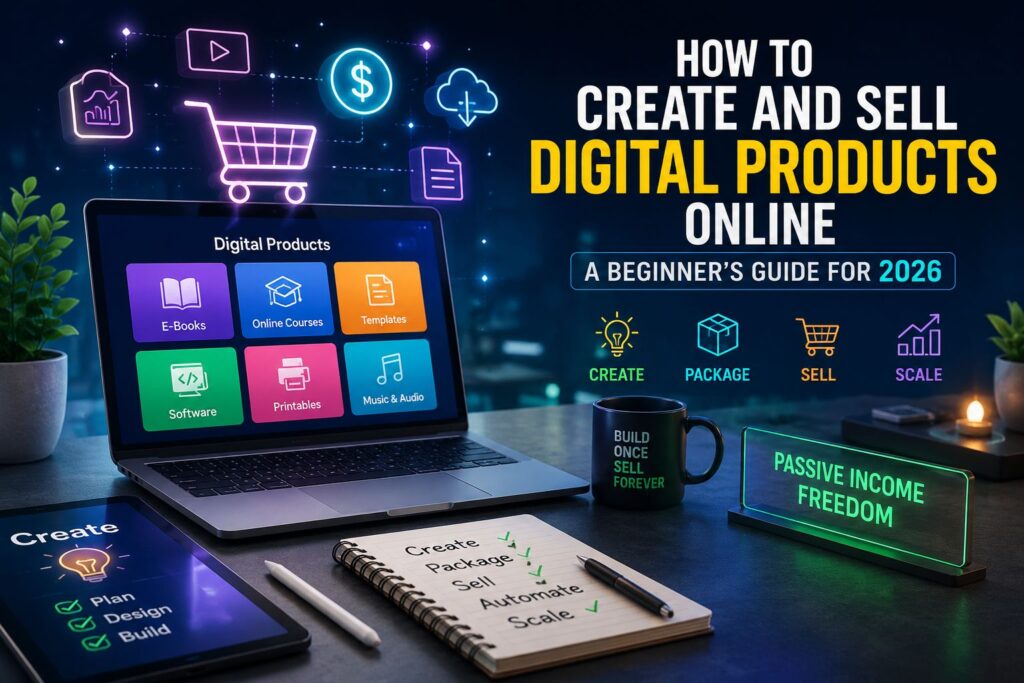
Common digital products include:
- eBooks and guides
- Templates (Canva, Notion, Excel)
- Prompt packs and AI toolkits
- Online courses and video tutorials
- Checklists and worksheets
- Stock photos, music, or design assets
- Swipe files and email sequences
The economics are what make digital products so attractive for beginners. Once you create the product, your cost of goods sold is essentially zero. Every sale is almost pure margin. A $17 product sold 100 times generates $1,700 in revenue with no additional work after the initial creation.
Compare that to a service business, where every dollar earned requires your time. Digital products scale in a way that services never can.
Step 1: Find an Idea You Can Actually Execute
The biggest mistake beginners make is trying to create something too ambitious. They plan a 10-module course before they’ve validated whether anyone wants it. They spend weeks designing something nobody asked for.
Start smaller. Much smaller.
The best first digital product solves one specific problem for one specific type of person. That’s it.
Here are three frameworks for finding your idea:
Framework 1: What do you know that others don’t?
You don’t need to be the world’s leading expert on something. You just need to know more than your target buyer. If you’ve spent 6 months learning how to use AI tools for productivity, you know more than someone who’s never tried. That gap is a product.
Framework 2: What do people ask you about?
Think about questions friends, family, or colleagues ask you repeatedly. If people keep asking you the same thing, there’s a product idea hiding in that question. Package the answer.
Framework 3: What did you wish existed when you were a beginner?
Think back to when you were learning something — a skill, a tool, a process. What resource would have saved you hours of frustration? Build that resource for the person who is where you were 6 months or a year ago.
Validation tip: Before you build anything, search Facebook Groups, Reddit, and YouTube comments for questions related to your idea. If people are actively asking questions about this topic, there’s demand. If you can’t find anyone talking about it, rethink your idea.
Step 2: Create the Product Using Free Tools
You don’t need expensive software to create a professional digital product. Here are the tools that cost nothing and work well for beginners:
For eBooks and guides: Google Docs for writing, then export as PDF. Clean, simple, professional. Add a cover using Canva’s free plan.
For templates: Canva (design templates), Notion (productivity and business templates), or Google Sheets (financial trackers, planners).
For prompt packs and AI toolkits: A well-formatted Google Doc or PDF is all you need. List your prompts clearly, explain the use case for each one, and give examples of the output.
For checklists and worksheets: Canva has hundreds of free templates. Customize one to fit your content, export as PDF.
For short video courses: Record your screen using your phone or a free tool like OBS. You don’t need a camera. Faceless screen recordings with a voiceover work perfectly well for tutorials.
The quality of your content matters far more than the quality of your production. A genuinely useful PDF beats a beautifully designed product with nothing valuable inside it.
One practical tip on AI: Use AI tools to help you write, structure, and refine your product. AI won’t create the product for you — you still need to provide the ideas, the expertise, and the real-world context — but it can dramatically speed up the writing and formatting process. Use it to draft outlines, improve clarity, and generate examples.
If you’re looking for the best AI content creation tools, several platforms can help speed up writing, design, and product development.
Step 3: Set Up Your Store in Under an Hour
You don’t need a website to start selling digital products. Several platforms handle hosting, payment processing, and digital delivery automatically — and they’re free to start.
Payhip is one of the best options for beginners. It’s free to sign up, lets you upload any digital file, handles payment processing (including PayPal and card payments), and automatically delivers the product to the buyer after purchase. You only pay a small transaction fee when you make a sale — no monthly fees, no upfront costs.
Here’s how to set up your Payhip store:
1. Go to payhip.com and create a free account
2. Click “Add Product” and select “Digital Download”
3. Upload your product file (PDF, zip file, etc.)
4. Write your product title and description
5. Set your price
6. Add a product cover image (create one free in Canva)
7. Publish
Your store is now live. You have a link you can share anywhere — social media, Facebook groups, email, messaging apps.
On pricing: Don’t underprice yourself out of credibility. A $3 product signals low value even if the content is excellent. For a focused guide or prompt pack, $7–$27 is a reasonable starting range. For more comprehensive courses or template packs, $27–$97 is appropriate. Test different price points and see what converts.
Step 4: Write a Product Description That Converts
Your product description is your salesperson. It works 24/7 and either convinces people to buy or sends them away.
A high-converting product description does four things:
1. Leads with the biggest benefit — not what the product is, but what the buyer gets from it
2. Lists specific outcomes — concrete results, not vague promises
3. Addresses the main objection — the #1 reason your ideal buyer might hesitate
Ends with a clear call to action — tell them exactly what to do next
Here’s a simple template:
“[Product name] helps [target customer] to [achieve specific outcome] without [common obstacle or frustration]. Inside you’ll find [specific thing 1], [specific thing 2], and [specific thing 3]. Whether you’re [situation A] or [situation B], this [product type] gives you exactly what you need to [end result]. [CTA — e.g., Download instantly and get started today.]”
Fill in the brackets with your actual product details. Keep the total description under 200 words. Short, specific, and benefit-focused always outperforms long and vague.
Step 5: Drive Traffic Without Paid Ads
This is where most beginners get stuck. They create a product, list it, and then wonder why nobody is buying. The answer is almost always traffic — or the lack of it.
The good news is that you don’t need to spend money on ads to get your first sales. Here are the most effective free traffic strategies for digital product sellers:
Facebook Groups: Find groups where your target buyer hangs out. Provide genuine value in the group — answer questions, share tips, contribute to discussions. Once you’ve established some presence, share your product when it’s relevant. Never spam links without context.
Short-form video (TikTok, Reels): Create short videos that teach something related to your product’s topic. At the end, direct viewers to your bio link where they can find your product. Faceless content — screen recordings, text-on-screen videos, voiceovers — works well if you don’t want to appear on camera.
Reddit: Find subreddits related to your niche. Provide detailed, helpful answers to questions. Include your product link in your profile and mention it naturally when relevant in conversations.
Telegram and WhatsApp communities: Join or create communities around your niche. Share value consistently. Your product becomes a natural next step for community members who want to go deeper.
Pinterest: Highly underrated for digital product sellers. Create pins that link directly to your product page. Pinterest content has a long shelf life — a pin you create today can drive traffic for months or years.
The key across all of these channels is to lead with value. People buy from people who have already helped them. Give first, sell second.
Many creators also use AI marketing tools to streamline content creation and audience engagement.
Step 6: Get Your First Sale
Your first sale is the hardest. Not because the product isn’t good enough — but because you haven’t built trust yet with an audience.
Here’s how to shortcut this:
Tell everyone you know. Share your product with friends, family, colleagues, and acquaintances. Ask for honest feedback. Your first buyers are often people who already trust you.
Offer a launch discount. Set a limited-time lower price for your first 10–20 buyers. This creates urgency and makes it easier for people to take a chance on something new.
Get a testimonial. Ask your first buyers to give you feedback. With their permission, use positive feedback as social proof on your product page. Even one genuine testimonial makes a significant difference to conversion rates.
Post consistently. One post or video rarely drives sales. Consistent, regular content builds the audience that eventually buys. Post at least 3–5 times per week on your chosen platform.
The Mindset That Makes This Work
The biggest barrier to selling digital products isn’t skill — it’s the belief that you’re not qualified to sell anything.
You don’t need to be a guru. You don’t need a huge audience. You don’t need expensive tools or a perfect product. You need to create something genuinely useful, price it fairly, put it in front of the right people, and stay consistent long enough to build momentum.
Every successful digital product seller started with their first product. Most first products are imperfect. Most first products don’t sell immediately. That’s normal. The people who succeed are the ones who launch anyway, learn from the feedback, and keep going.
The market for digital products has never been bigger. AI tools have made it faster and cheaper than ever to create high-quality products. And platforms like Payhip have made it possible for anyone — regardless of technical skill or location — to set up a store and start selling globally.
The only thing standing between you and your first digital product sale is starting.
Digital Empire Kenya helps people build income online using AI tools and digital products. Visit payhip.com/digitalempirekenya to explore our resource library for online entrepreneurs.